

How GL Strings handles ICU message syntax
GL Strings now supports ICU Message Syntax. ICU Message Syntax is a standardized message format for software localization. The way it is processed may differ depending on the platform or framework. It incorporates a special syntax that can be a part of strings for plurals, time, variables such as gender and other types of translations that may be switched based on context. It is often used in ARB files, YAML, PO and other file types.
Strings that are formatted with ICU syntax can have different options that are called “arguments”. Each argument is enclosed within {curly braces} and refers to a value included in the input data.
GL Strings supports ICU Message syntax for the following types of arguments:
When uploading strings to the GL Strings dashboard, ICU syntax found within strings are included in the upload. ICU syntax is highlighted in gray in the GL Strings Editor.

If content with ICU syntax is included in translation orders via the GL Strings Order menu, the syntax is removed from the editable text. The TransPerfect translators will not be able to alter the ICU Message syntax, only the translate content in between. This prevents any accidental issues with the code such as the removal of a bracket. When translations are delivered, they will include the syntax placed at the most appropriate section by the translator.
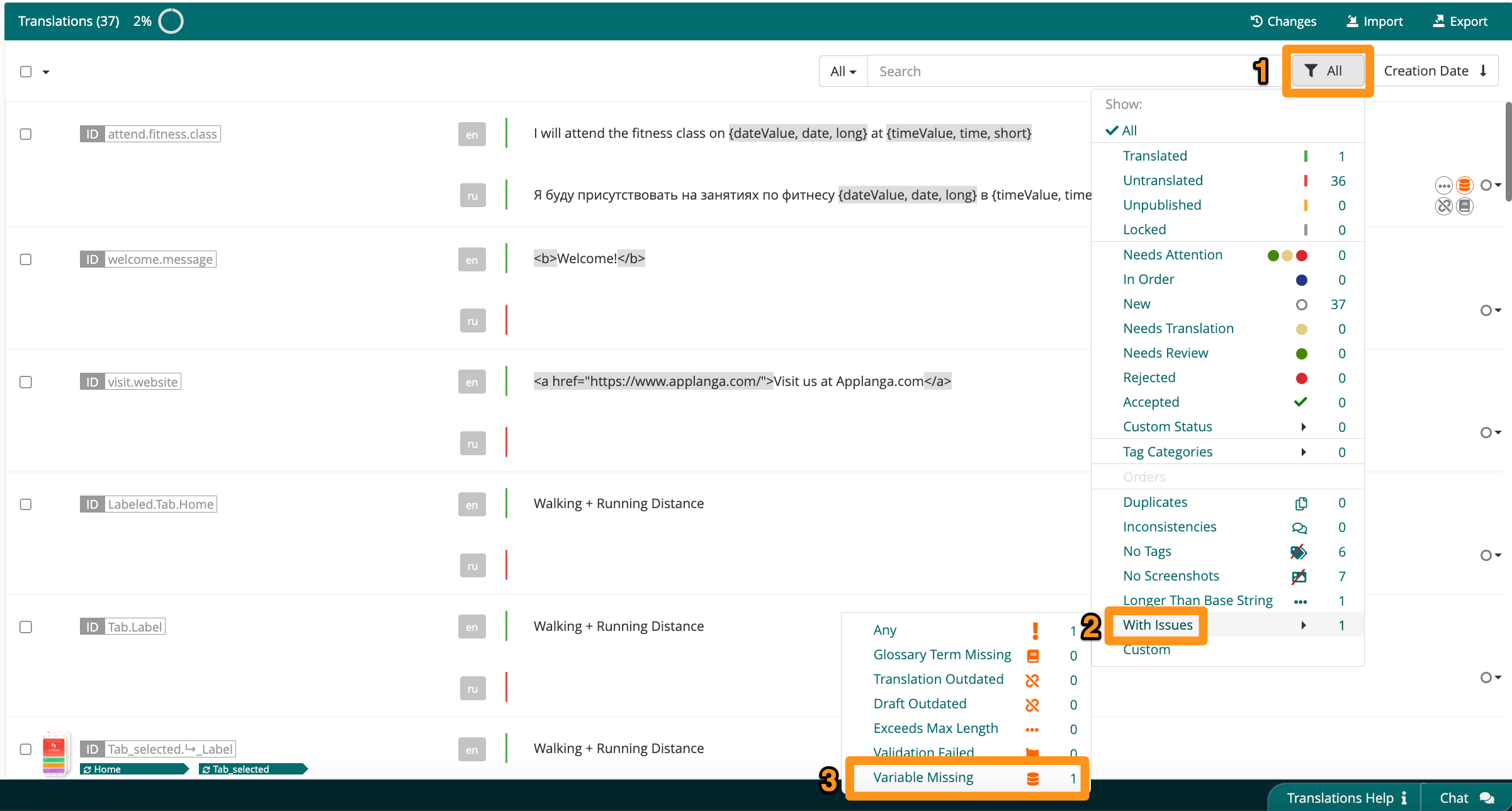
If a key has ICU Message Syntax in the source value and it is completely missing or even just slightly different in the target value, the String Management Interface generates a warning. Users can filter to locate those strings with the missing variables filter - simply click the filter icon (1), then With Issues (2), and select Variable Missing (3).
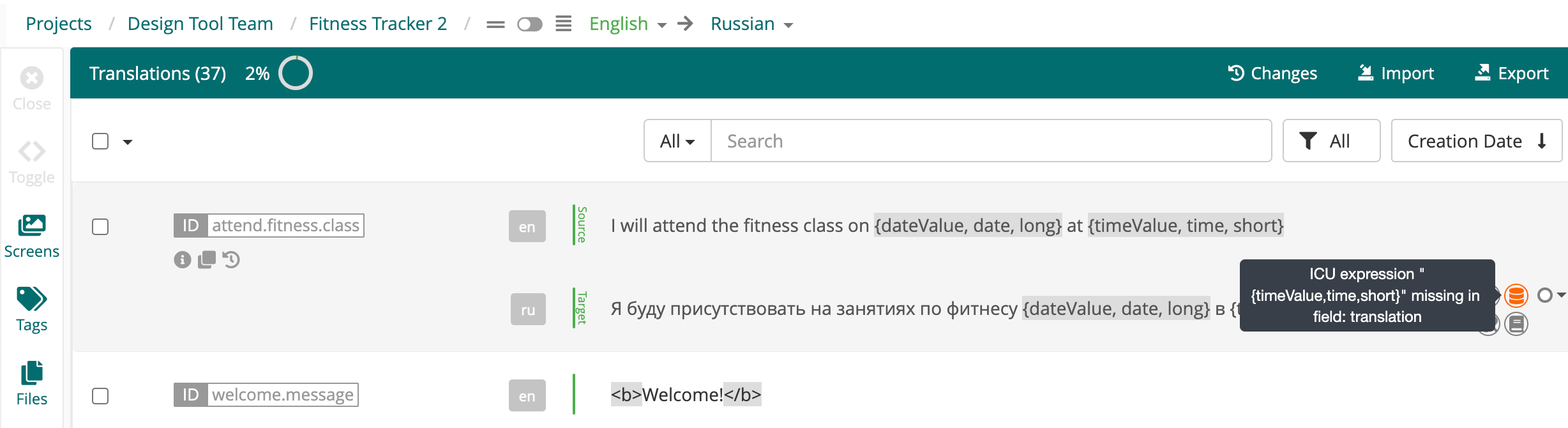
The warning will indicate what is missing from the translated string:
Plural type arguments are used to handle plural category variations as each language has its own rules for handling plurals. Pluralization uses CLDR rules for the given locale. Some languages have two forms, like English; some languages have only a single form; and some languages have multiple forms. Plural categories include:
Example:



The number type displays different values such as percentages and currency based on the locale conventions. This enables adjustment of the message output to the formats used for different locales.
Example:

Date and time types show date and time values according to the preferred formatting for a given locale. ICU message syntax supports predefined custom date formatting. There are four predefined date formats: short, medium, long, full.
Example:

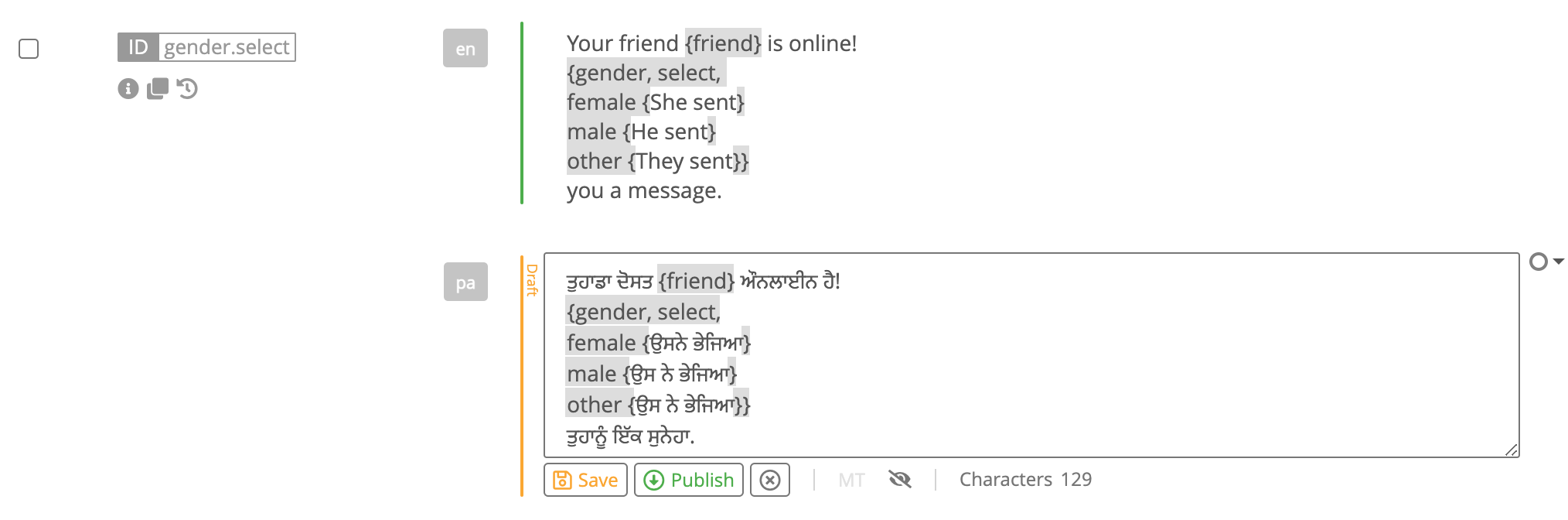
The Select type is often used to represent the appropriate gender-based inflections or verb conjugations for a given message.
Example:
Flutter supports ICU Message Syntax, but it handles it differently than platforms that interpret ICU messages directly at runtime.
In Flutter, ICU syntax is written inside .arb (Application Resource Bundle) files and processed at build time using Flutter’s localization code generator (flutter gen-l10n) together with the Dart intl package.
Each message key in an ARB file may have a corresponding metadata entry prefixed with @. This metadata provides additional information required for code generation, such as placeholder definitions and types.
Important Flutter-specific notes: