Link and manage strings with duplicate values in different contexts
On this page
This article will show users how to find duplicates and link strings.
How to Link Strings
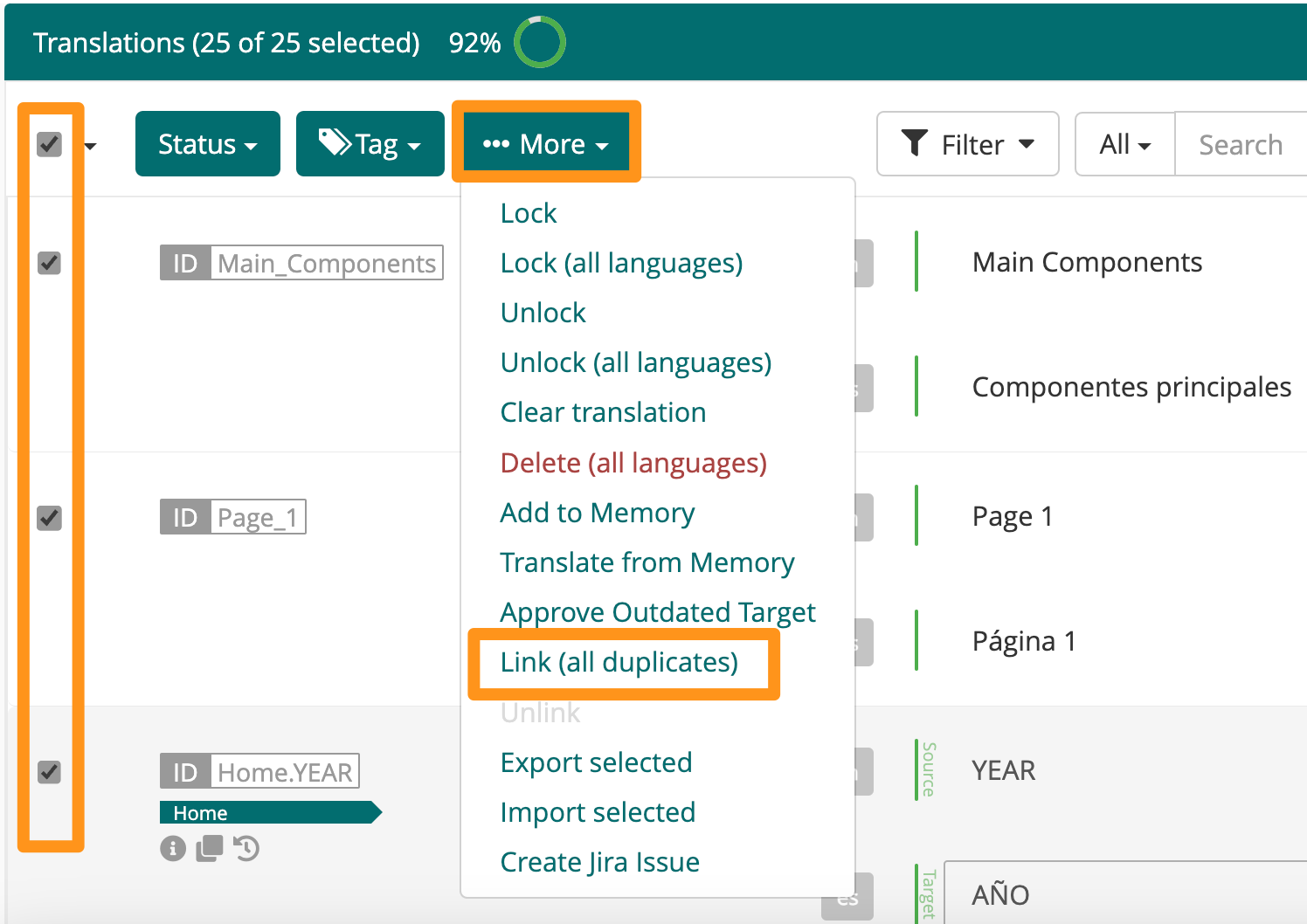
Linking is a multi-edit option, found in the More dropdown menu.
Mark the checkbox for all strings that should be linked
Click More then select Link
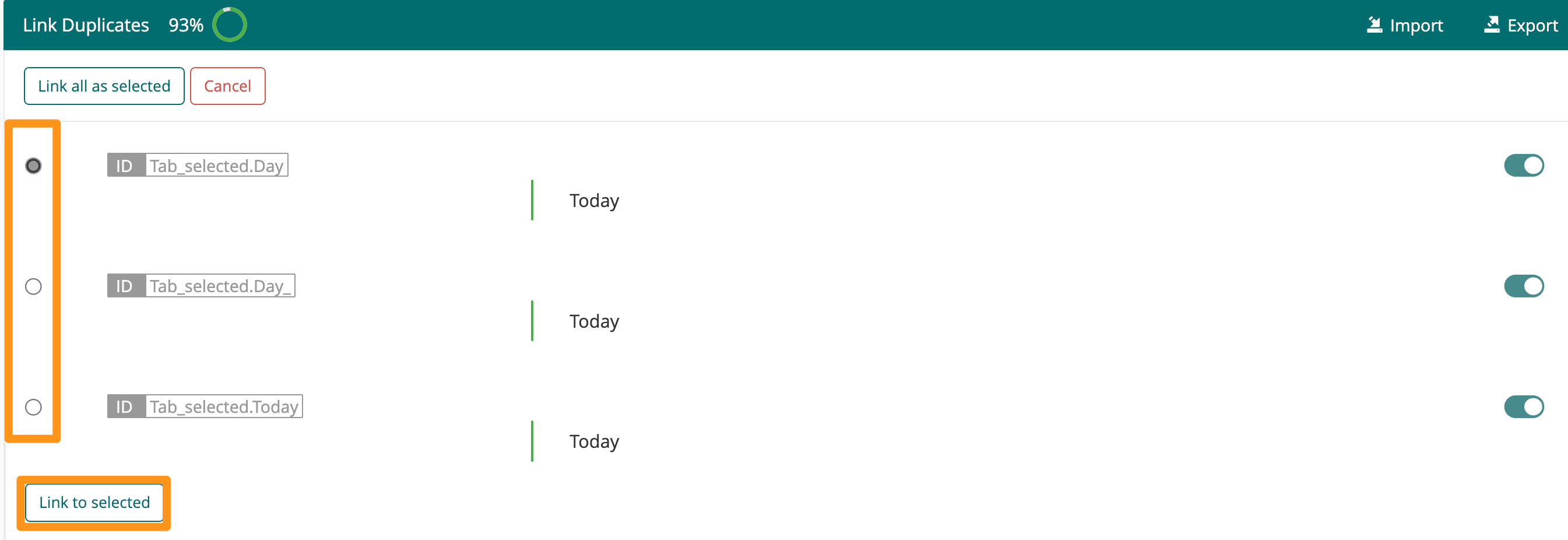
Select the “master” string for linking using one of the radio buttons on the left-hand side (all strings linked to the selected will inherit the translations and metadata associated with that string)
Click Link to Selected
Preconditions for Linking
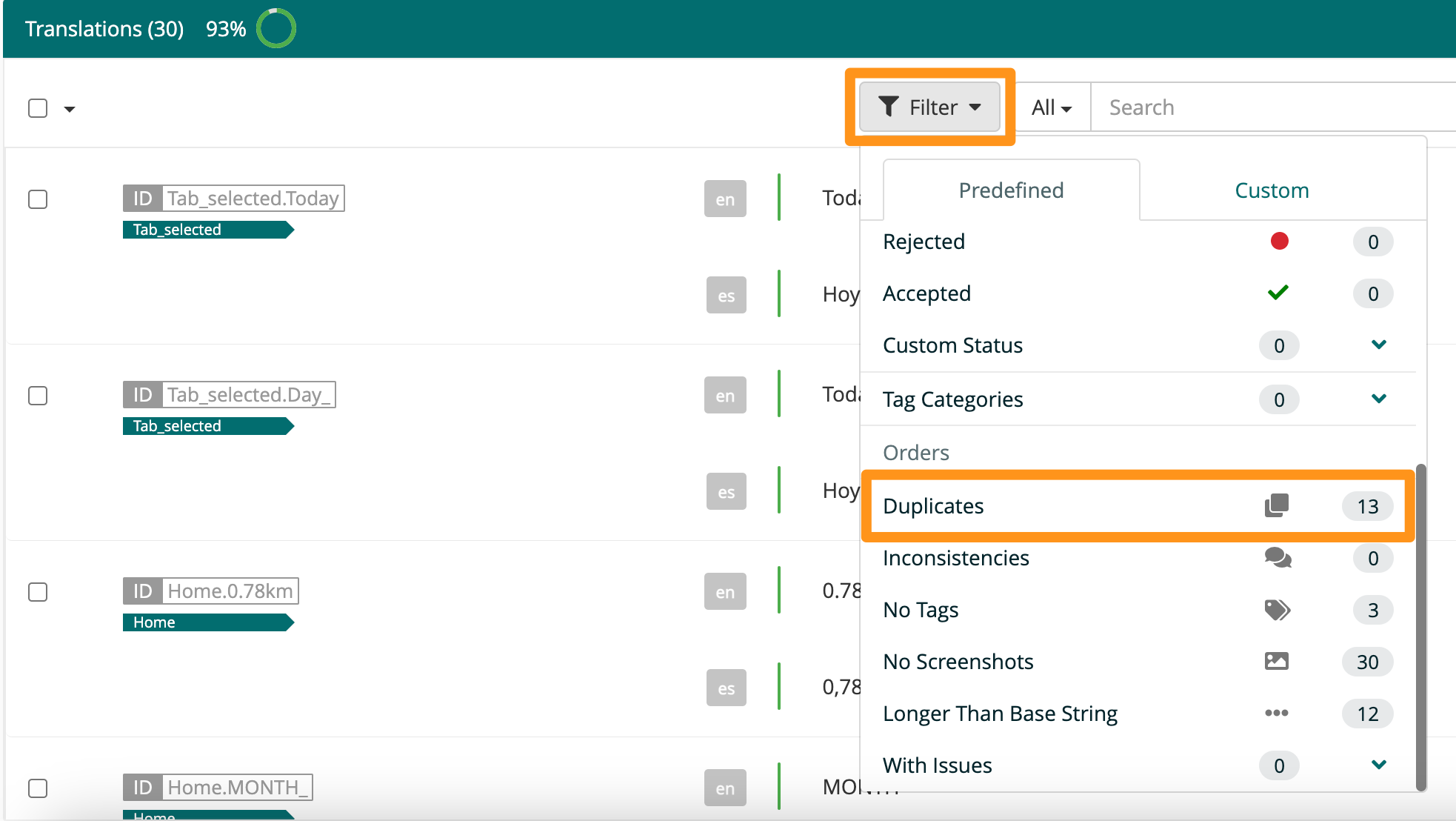
All string Ids must have the same source value to be in scope for linking. These instances can be found by applying the “Duplicates” filter in the source language Editor View.
Impact of Linking strings
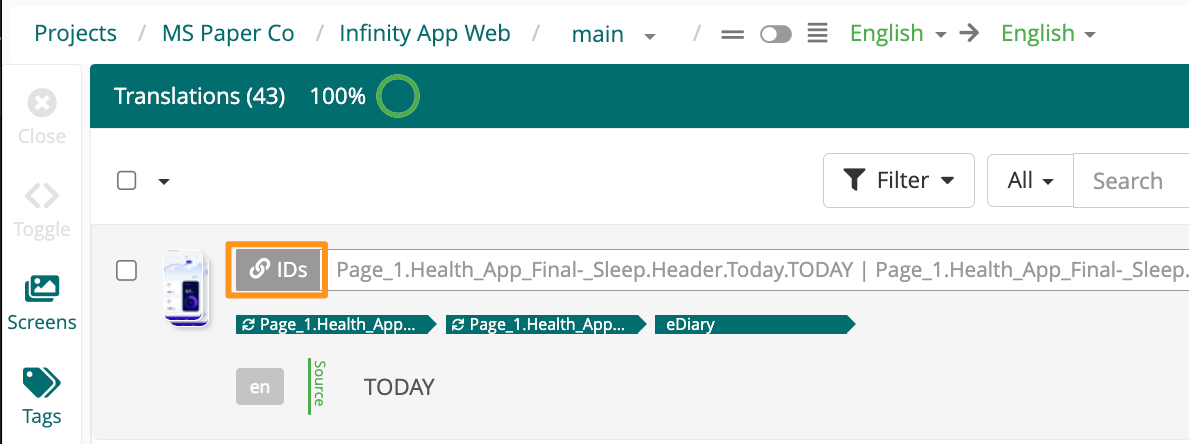
Linked sets of strings are designated in the Editor with a link icon next to the string ID(s)
All linked strings will inherit both the translation, description and metadata associated with the selected master string
In all exports, linked strings will be exported individually and as such keep their source file reference.
For all counts, linked strings appear as the sum of individual strings linked together. For example - for a linked entry consisting of 3 underlying string Ids linked together, all counts impacted by this linked entry will always increase or decrease by 3.
Changes made to the master string will be applied to all linked strings. If the strings are unlinked, all changes made while linked together will be preserved.
How to Find and Link All Duplicate Strings
In the Editor interface, click the filter icon and select Duplicates
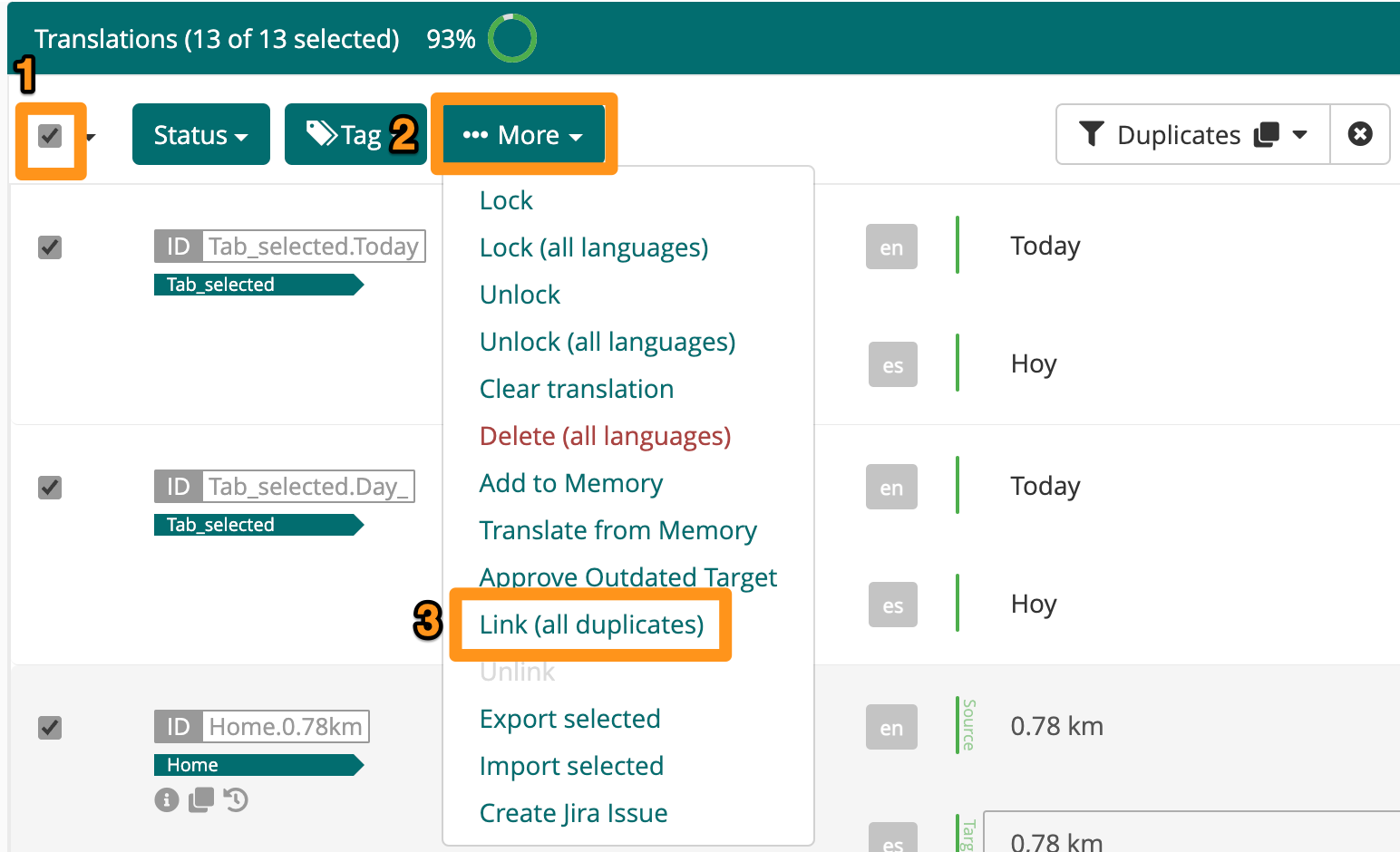
Select all checkboxes (1), click More (2) then choose Link (all duplicates) (3) - this filtered view will give a list of all duplicate strings and the ability to link all of them
Linking Options
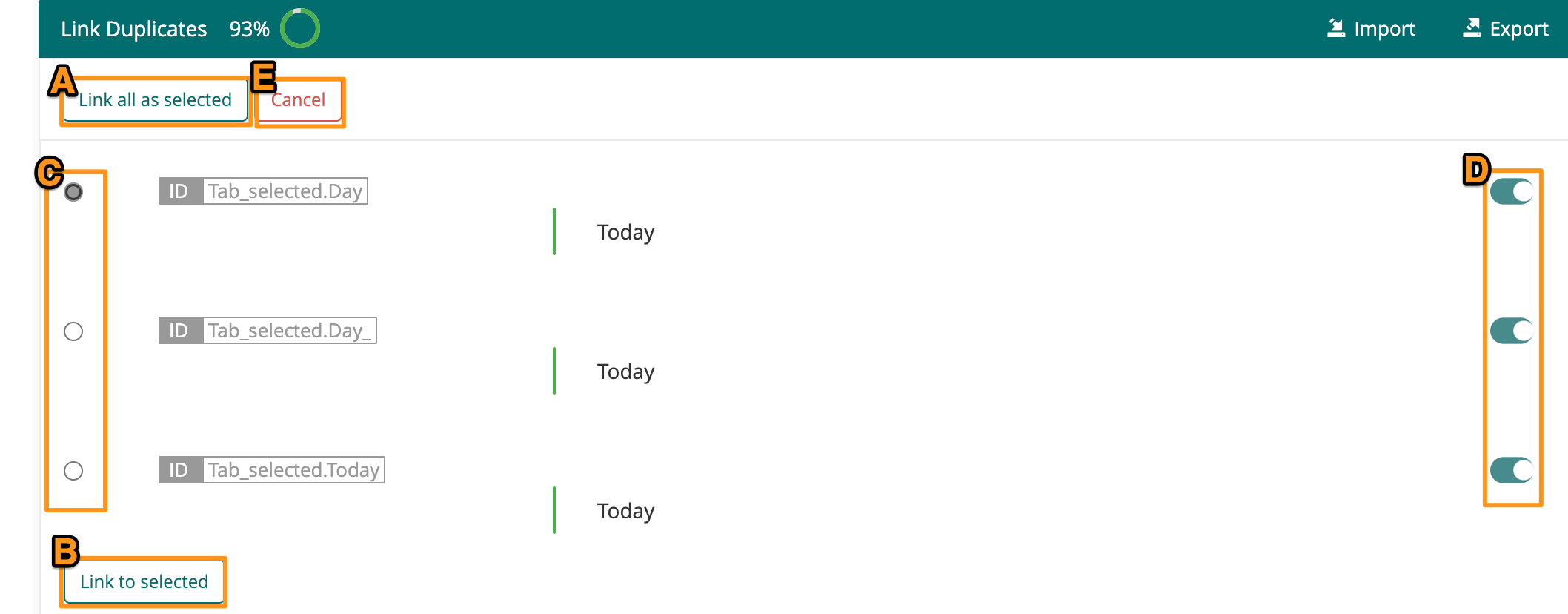
Link all as Selected (A) this option runs the linking action for all sets of duplicates displayed, the string ID currently selected will be used as the master.
Link to Selected (B) this option runs the linking action for that specific block of duplicates, the string ID currently selected will be used as the master.
The radio button (C) on the left determines the master string for linking. All other strings linked to the master string will inherit its translations and metadata.
The toggle (D) on the far right removes that duplicate from linking. This will preserve that string’s individual value, translations, and metadata.
Cancel (E) will close the Linking Dialog and return the Editor to its original view
How to Manage Linked Strings
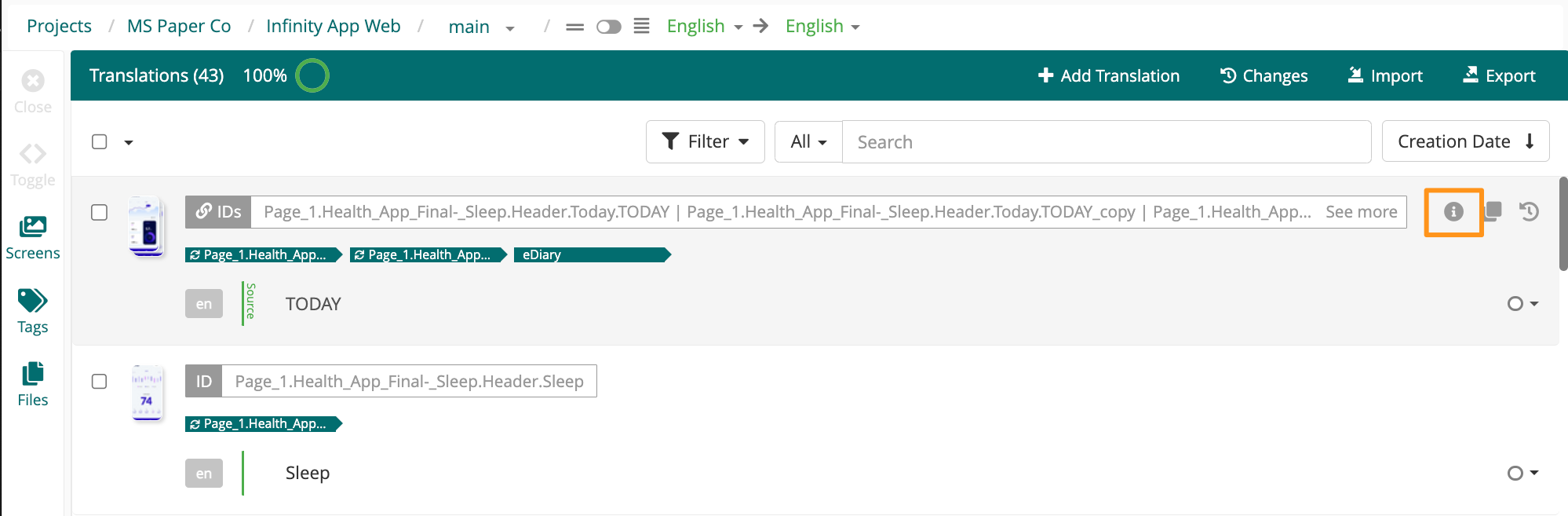
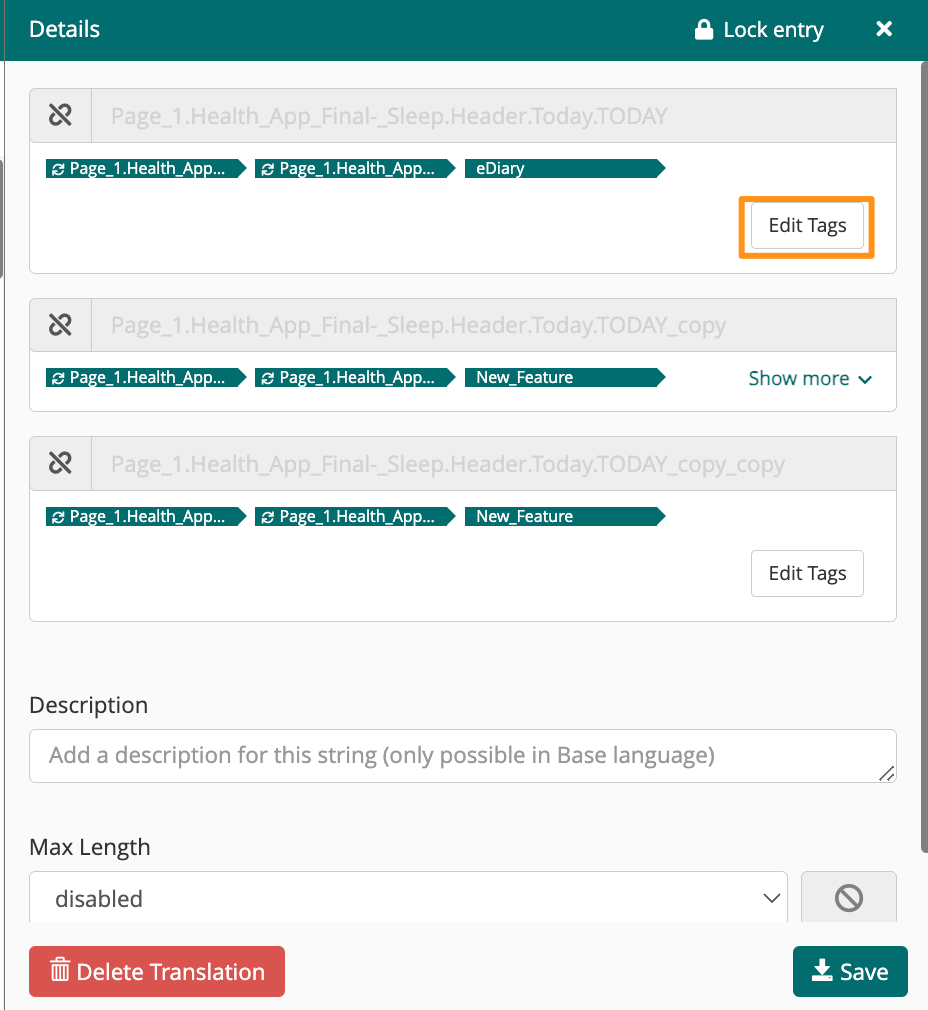
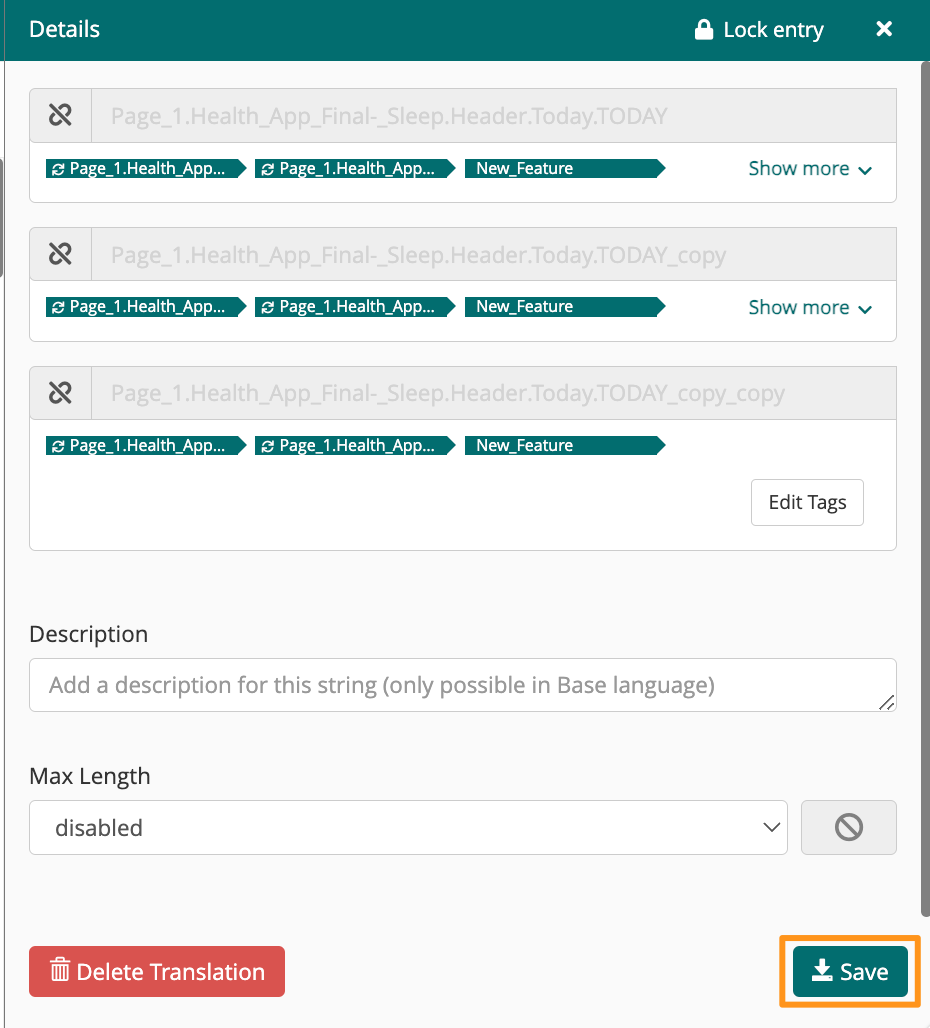
Hover over the set of linked strings, then click the information icon to open the details view.
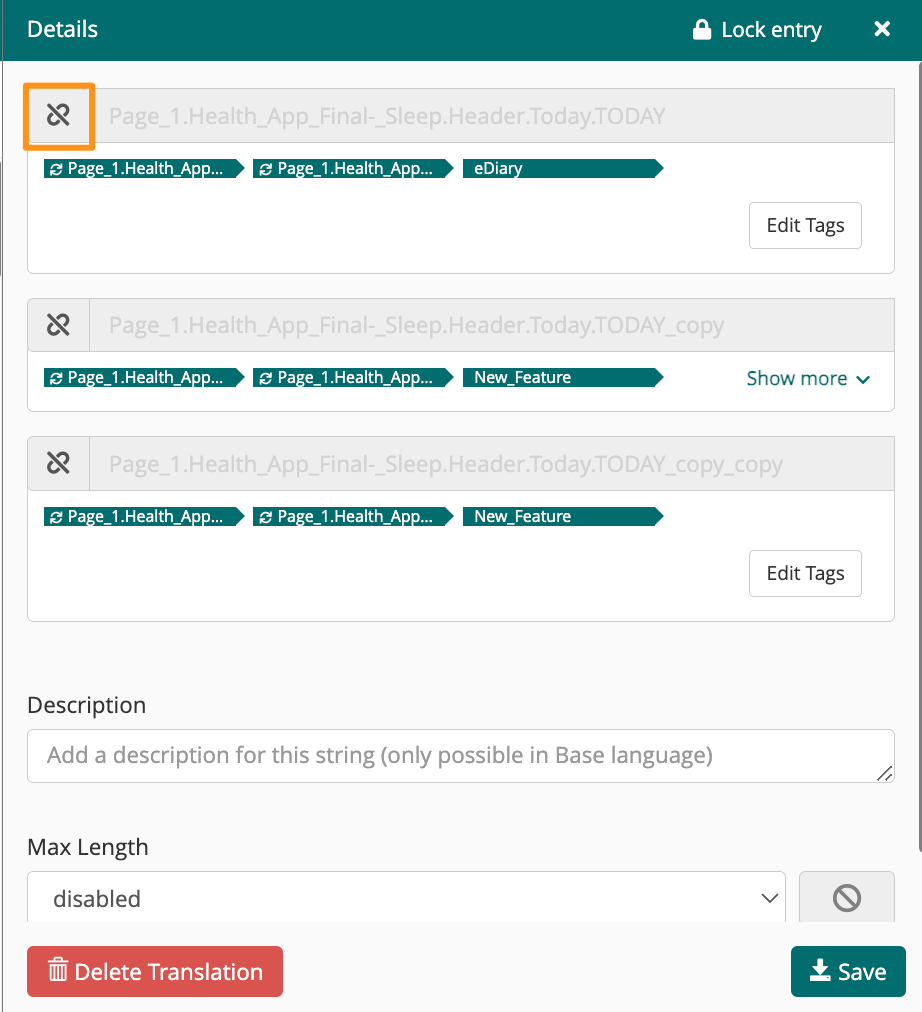
To remove a specific string from the linked set, click the unlink icon to the left of the string ID.
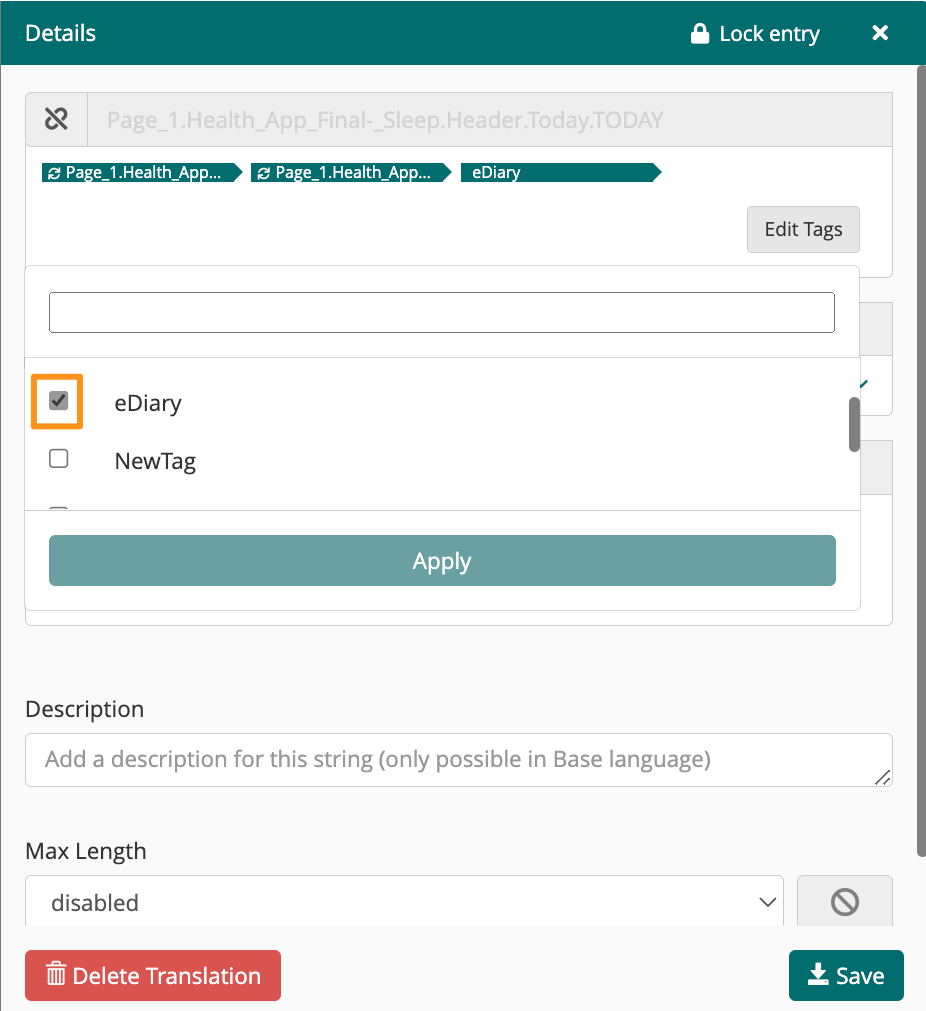
To manage the tags associated with a specific string in an linked set, click Edit Tags.
To remove a tag, uncheck the checkbox next to the tag name, then click Apply.
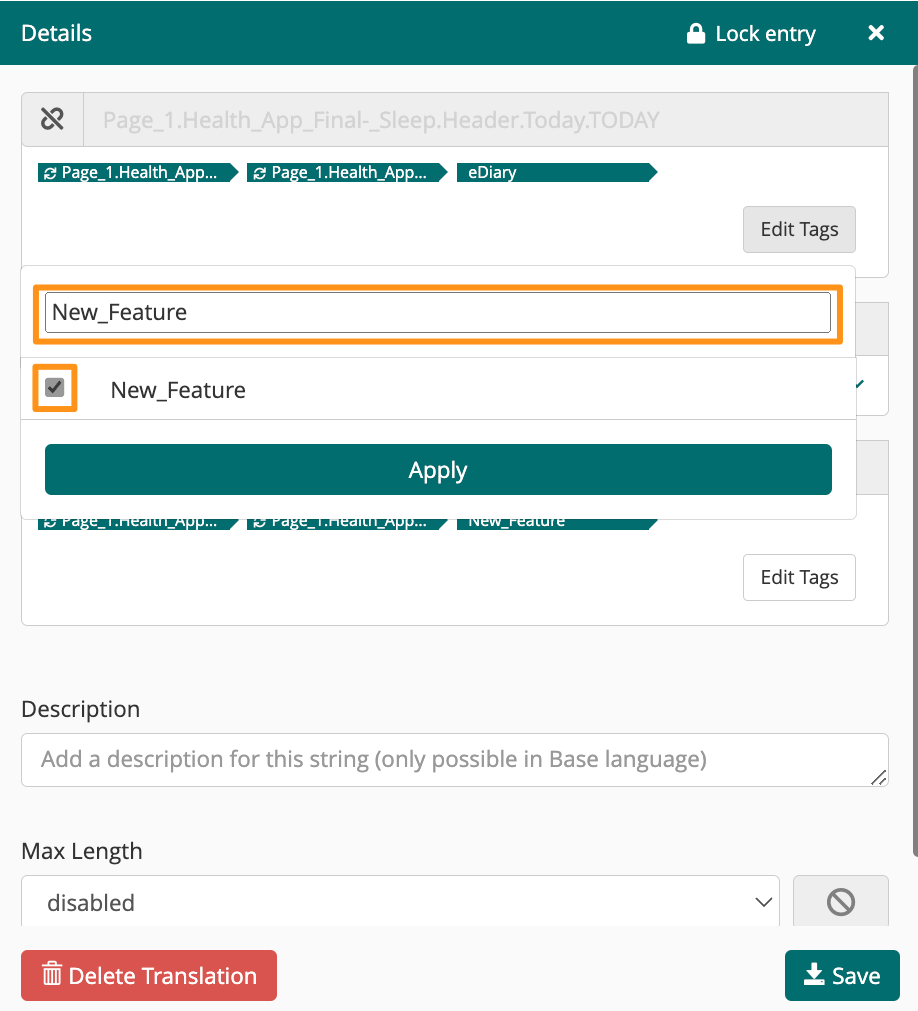
To apply a tag, search the tag name in the search bar, mark the checkbox next to the tag, then click Apply.
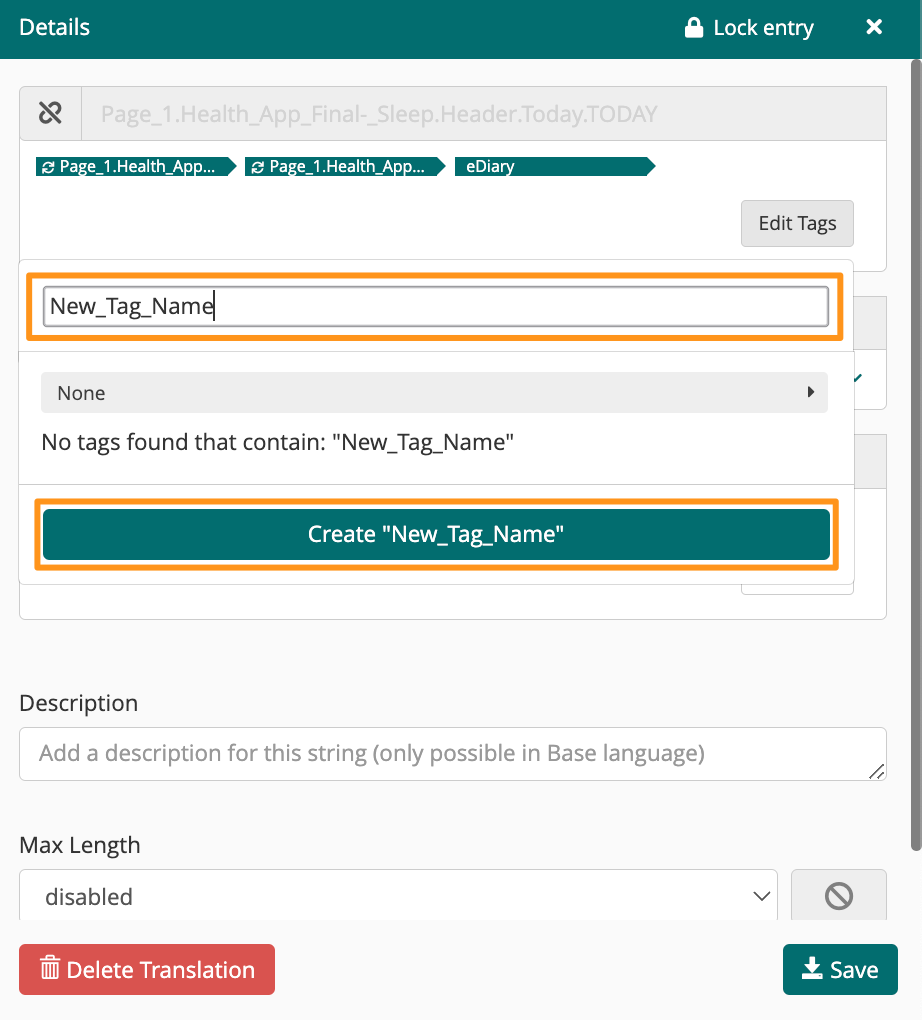
To create and apply a new tag, enter the tag name into the search bar, click Create, then click Apply.
Once you complete your changes to the linked strings, click Save
!
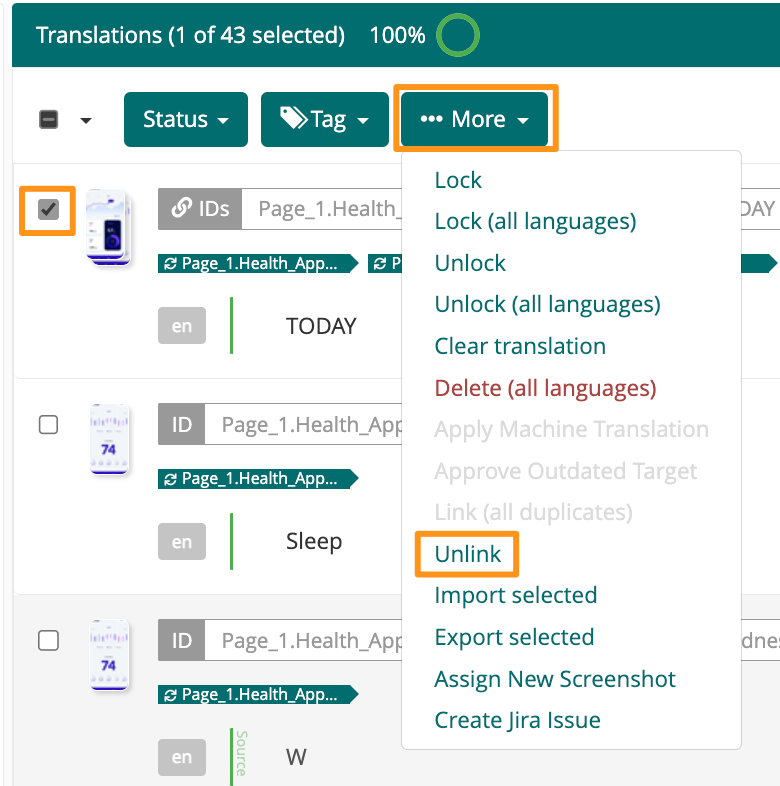
How to Unlink All Strings in a Linked Set
Mark the checkbox next to the linked set of strings