
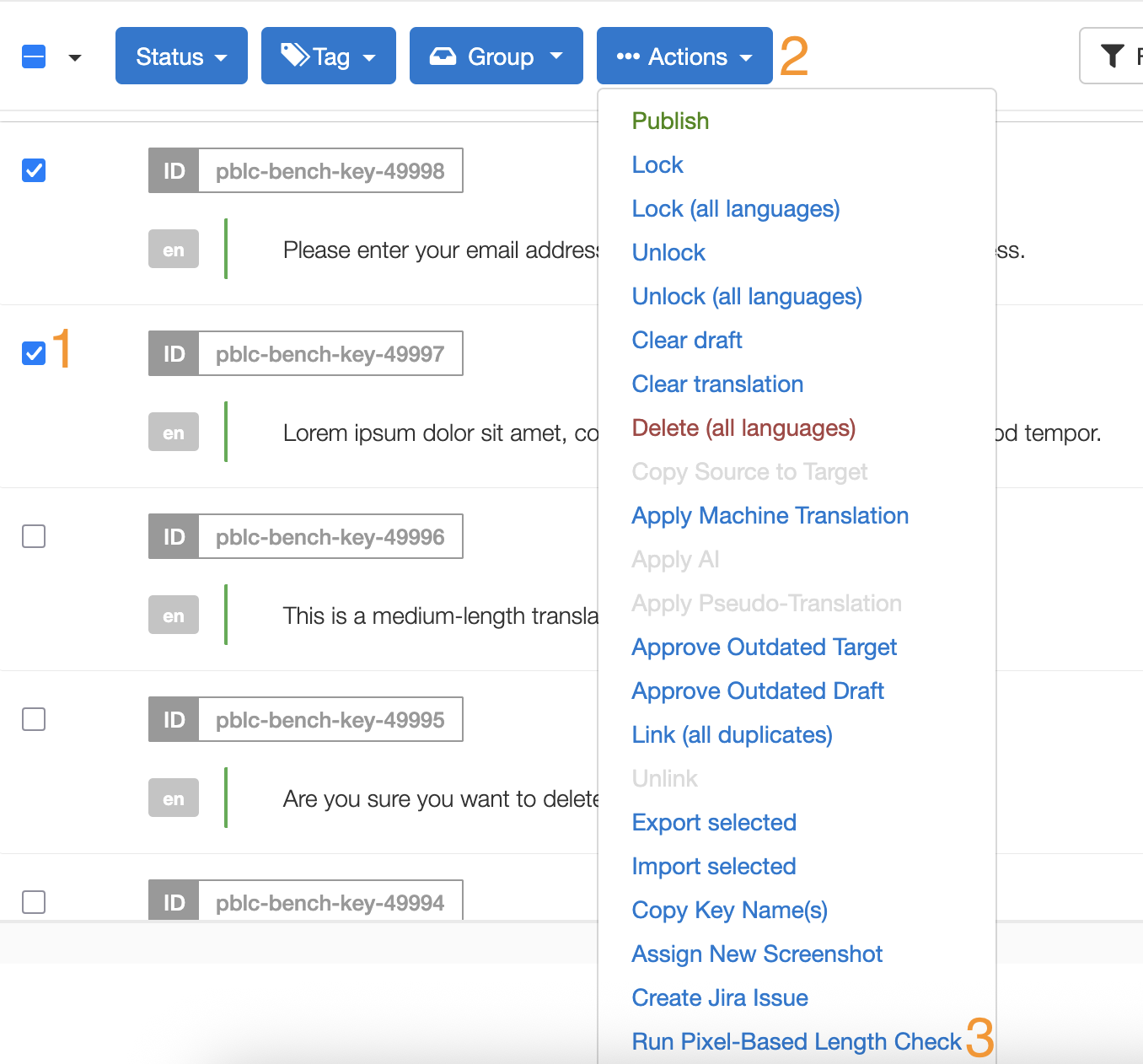
Validate that translations fit within pixel-based layout constraints directly from the Editor
The Pixel-Based Length Check (PBLC) allows you to verify whether translations fit within defined layout constraints -- such as maximum width, height, and number of lines -- directly from the GL Strings Editor. Instead of exporting files and running external tools, you can run the check in-editor and immediately see which strings pass or fail.
The PBLC measures the pixel dimensions of each translation using the font and layout parameters you define via custom metadata fields. It then compares the measured dimensions against your specified bounding box constraints and assigns a status to each string:
Each checked string also receives a comment with detailed measurement information.
To run the PBLC, you need to provide layout metadata on your strings using custom metadata fields prefixed with GLS_. These fields define the font, size, and bounding box for each string.
The following fields are required for every string you want to check:
| Metadata Field | Description | Example Value |
|---|---|---|
GLS_FontName |
Font family name -- either a Google Fonts family, or the name of a font imported into the project's team (see Custom Fonts) | Roboto |
GLS_FontSize |
Font size in pixels (must be > 0) | 16 |
GLS_BoundingBoxWidth |
Maximum allowed width in pixels (must be > 0) | 200 |
These fields allow fine-grained control over the text rendering. If not provided, defaults are applied.
| Metadata Field | Description | Default | Valid Values |
|---|---|---|---|
GLS_FontWeight |
Font weight -- a variable custom font can cover the full range from a single file | 400 |
100-900 or names like bold, light, normal, etc |
GLS_FontWidth |
Font width (CSS font-stretch) -- a variable custom font can cover its full width range from a single file |
100 |
50-200 or CSS keywords like condensed, expanded, normal, etc |
GLS_BoundingBoxHeight |
Maximum allowed height in pixels | -- | Any positive number |
GLS_MaxLines |
Maximum number of lines before truncation | -- | Any positive integer |
GLS_LetterSpacing |
Additional space between characters (px) | 0 |
Any number (including negative) |
GLS_WordSpacing |
Additional space between words (px) | 0 |
Any number (including negative) |
GLS_LineHeight |
Vertical distance between lines (multiplier) | 1.0 |
Any positive number |
GLS_TextTransform |
Text transformation | -- | uppercase, lowercase, capitalize |
GLS_FontStyle |
Font style | normal |
normal, italic, oblique |
GLS_FontVariant |
Font variant | normal |
normal, small-caps |
GLS_Kerning |
Enable or disable kerning | on |
on, off |
GLS_WordWrap |
Word wrapping behavior | normal |
normal, break-word |
Note: If neither
GLS_BoundingBoxHeightnorGLS_MaxLinesis provided, only the width constraint is checked.
Note:
GLS_FontWeightandGLS_FontWidthcan only be measured at a value the font actually provides. A variable font can be measured at any value its ownwght/wdthaxis covers, while a static font (and every Google Font, which always serves a single static file per request) can only be measured at a weight/width that font actually has a file for -- for width, one of the standard steps (50, 62.5, 75, 87.5, 100, 112.5, 125, 150, 200) -- there is no rounding to the nearest available value. A value the resolved font can't render is reported as Needs Review, naming the weights/widths that font does support. On Google Fonts, a weight or width is only available for families that publish it; the check reports an explicit error when the requested value isn't supported.
If your app uses a font that isn't available on Google Fonts, you can import it so the PBLC can measure text with it. Custom fonts are shared across every project owned by the same team -- import a font once and any of the team's projects can reference it by setting GLS_FontName to its family name.
You can manage custom fonts from either of these places:
Team Settings > Pixel-Based Length Check -- available whenever the feature is on your team's plan, independent of any single project's toggle.
Project Settings > General > Pixel-Based Length Check card -- once you've turned the check on for that project, the same font list and Import font action are shown there too, for convenience.
Supported formats: TTF and OTF, up to 50 MB per file. Variable fonts are supported -- a single variable font file can cover its full weight range (see GLS_FontWeight above) and its full width range (see GLS_FontWidth above) without a separate upload per weight or width.
Uploading a file with the same file name as one already in that family replaces it; a different file name adds it as an additional file in the family instead -- e.g. a Regular and a Bold file, a TTF and an OTF, or an upright and an italic file, all under the same family.
Each import or removal is recorded as a changelog event.
A team's own custom fonts take priority over a same-named Google Font -- set GLS_FontName to the custom font's name and it will be used automatically.
Note: If a family ends up with more than one file that could equally match a requested weight and style (e.g. a TTF and an OTF of the same weight), the same file is consistently used for that match.
Besides running the check in bulk from the Translations list, you can preview how a single translation fits its layout constraints directly while editing it.
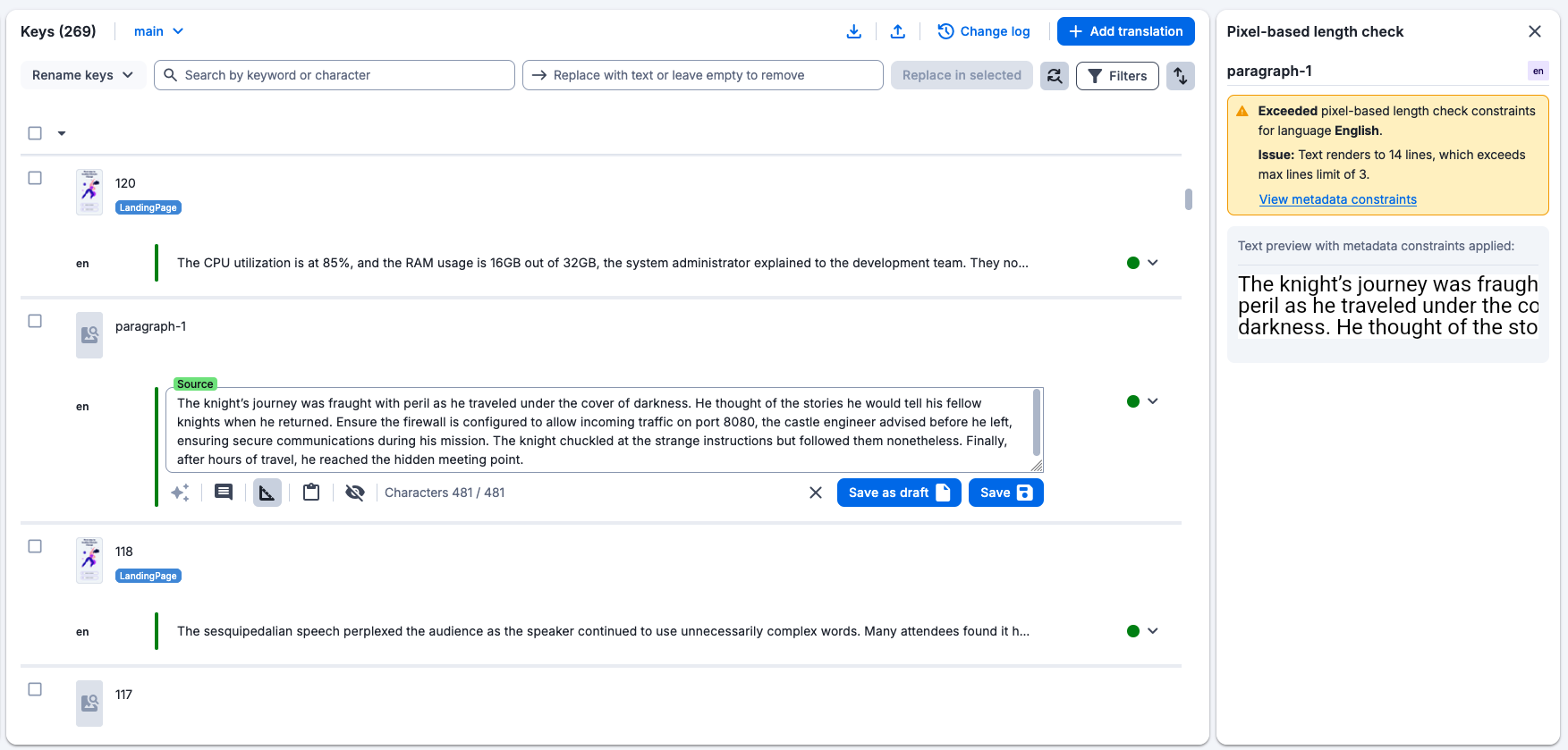
The check runs automatically for the focused key and language, using the last saved value -- unsaved edits aren't validated until you save. The panel stays open as you move between keys, always tracking the currently focused entry.
The panel shows:
If the entry has no saved text yet, the panel shows an empty state instead, since there's nothing to validate.
After the check runs, each string receives a status and a descriptive comment.
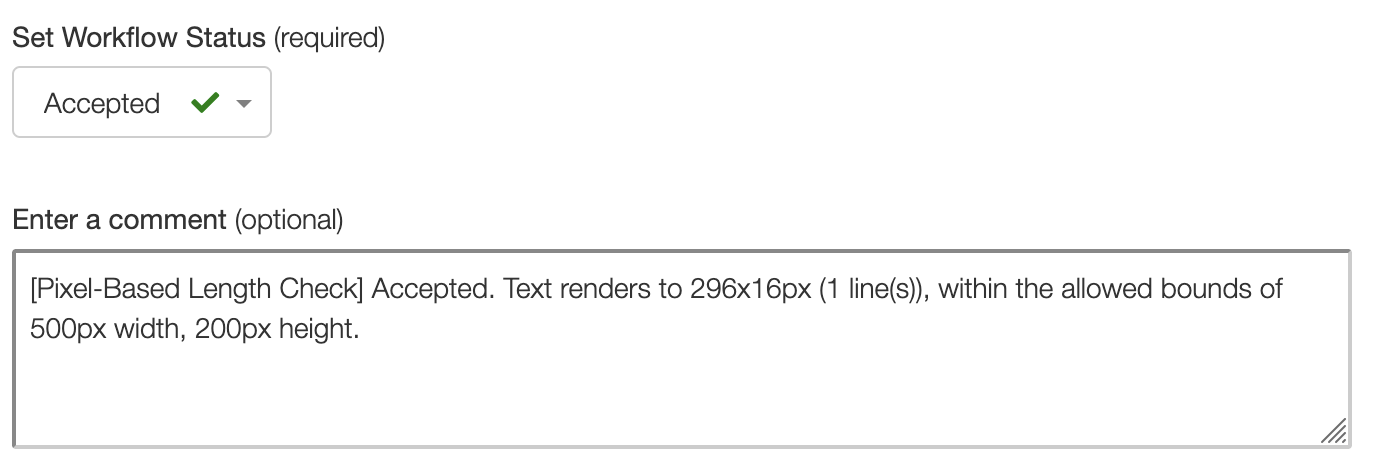
The translation fits within all defined constraints.
Example comment:
[Pixel-Based Length Check] Text is 142px wide, which is within the max 200px.
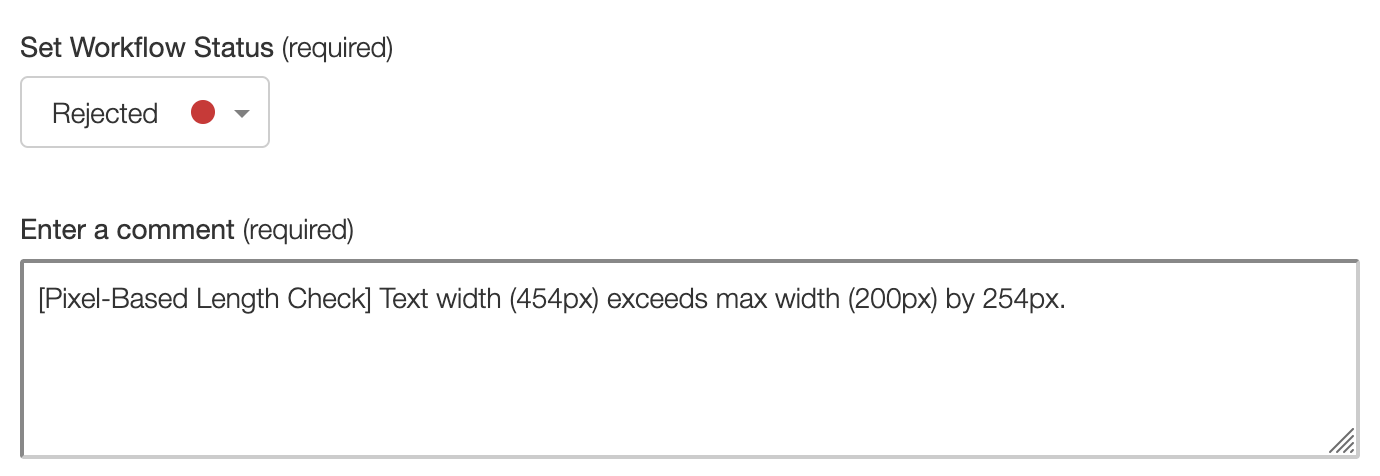
The translation exceeds one or more of the defined constraints.
Example comments:
[Pixel-Based Length Check] Text width (256px) exceeds max width (200px) by 56px.
[Pixel-Based Length Check] Text height (72px) exceeds max height (48px) by 24px.
[Pixel-Based Length Check] Text requires 4 lines but only 2 are allowed.
The check could not be executed. This happens when:
GLS_FontName or GLS_FontSize defined.450 is not a standard weight.Example comments:
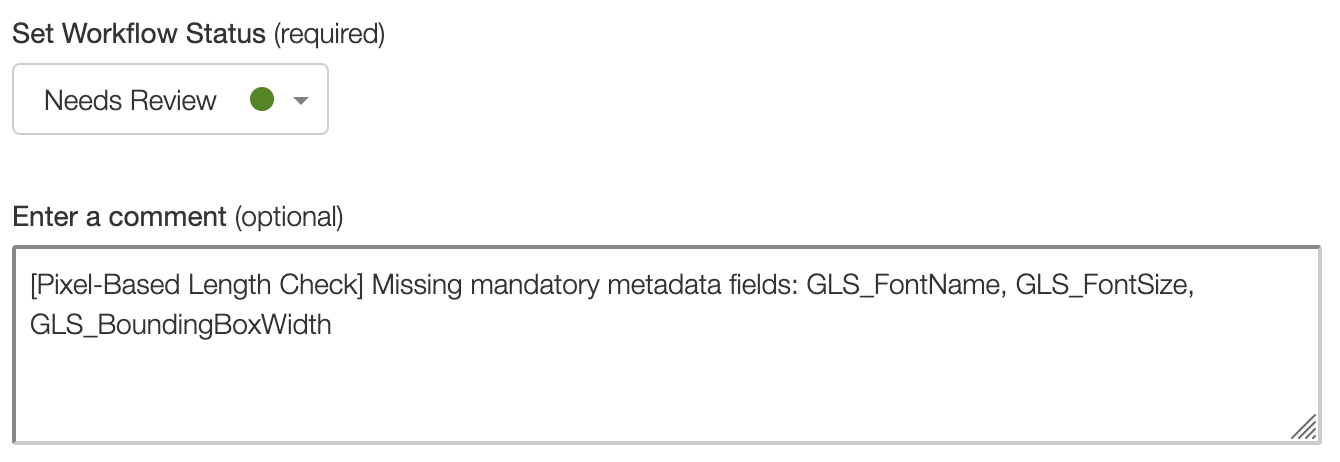
[Pixel-Based Length Check] Missing mandatory metadata fields: GLS_FontName, GLS_FontSize
[Pixel-Based Length Check] Failed to resolve font 'MyCustomFont'. It is neither a custom font imported into this team nor a Google Font.
[Pixel-Based Length Check] Invalid font weight: '450'. Must be one of: 100, 200, 300, 400, 500, 600, 700, 800, 900 or their names (e.g. bold, light).