
Personal access tokens offer a convenient method for accessing GL Strings' REST API
This article aims to provide an explanation of personal access tokens and guide you through their creation and usage.
With a Personal Access Token, it becomes possible to identify the user responsible for a specific action via the GL Strings REST API, based on their token. Moreover, Personal Access Tokens can be restricted to specific access scopes, reducing the potential impact of an exposed Personal Access Token. Personal Access Tokens are used to authenticate all non-project-related REST API routes. Additionally Personal Access Tokens enhance the security and traceability of project-related routes for POST, PUT, and DELETE requests combined with the Project API Token.
In project-related routes Personal Access Tokens are employed together with a Project API Token to authorize REST API requests, please see GL Strings API usage requirements here. To utilize a Personal Access Token in a request, you should include it in the request header under the key X-Personal-Access-Token, as demonstrated in the example below:
curl -X POST "https://api.globallinkstrings.com/v1/api" \
-H "X-Personal-Access-Token: <REPLACE_WITH_PERSONAL_ACCESS_TOKEN>" \
-H "Authorization: Bearer <REPLACE_WITH_PROJECT_API_TOKEN>"
In non-project-related routes Personal Access Tokens are used to authorize the API request, as demonstrated in the example below:
curl -X GET "https://api.globallinkstrings.com/v1/api/projects" \
-H "Authorization: Bearer <REPLACE_WITH_PERSONAL_ACCESS_TOKEN>"
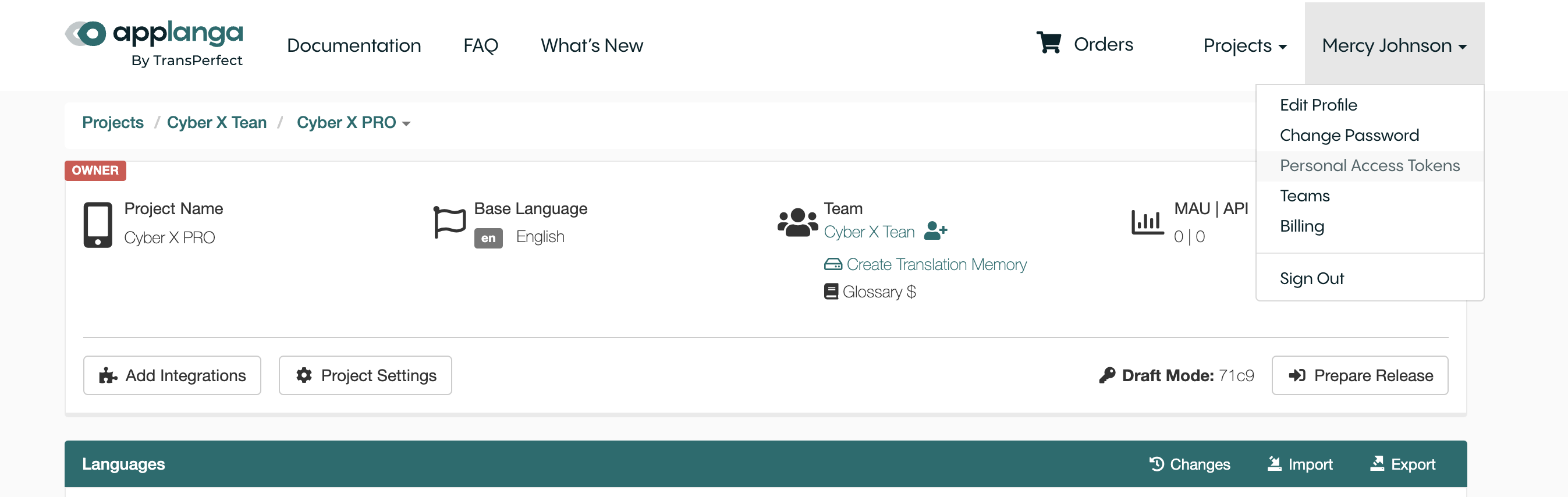
Make sure you are logged in to your GL Strings dashboard and click on your name in the top right menu to reveal the drop down and click on Personal Access Tokens from the menu options.
Click the Add a new personal access token button to add a new token. Select the needed permissions(scopes) for the token. It is important to select the right permissions based on the operations the token is needed for. For example if the token is meant to be used to create Tags via GL Strings REST API, then you need to select can_create_tags permission. See the GL Strings REST API documentation to see the permissions needed for various operations.
❗ Important: Permissions - It is crucial to ensure that you have the appropriate permissions within any team or project where you intend to utilize a personal access token. Attempting to use your personal access token in teams or projects to which you do not belong or for which you lack adequate permissions will result in operation failures. For more information, please refer to the GL Strings Roles and Permissions Guide.
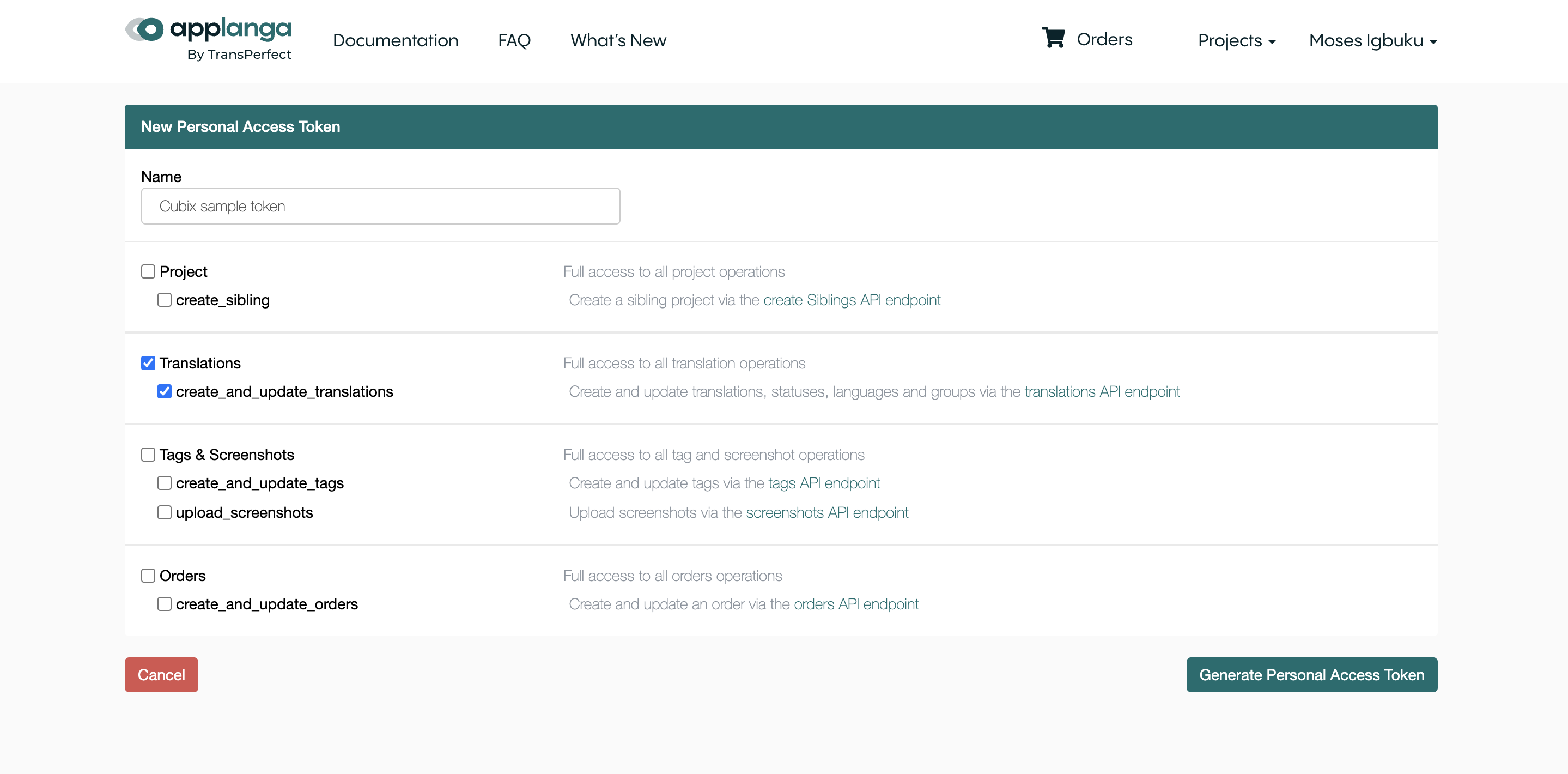
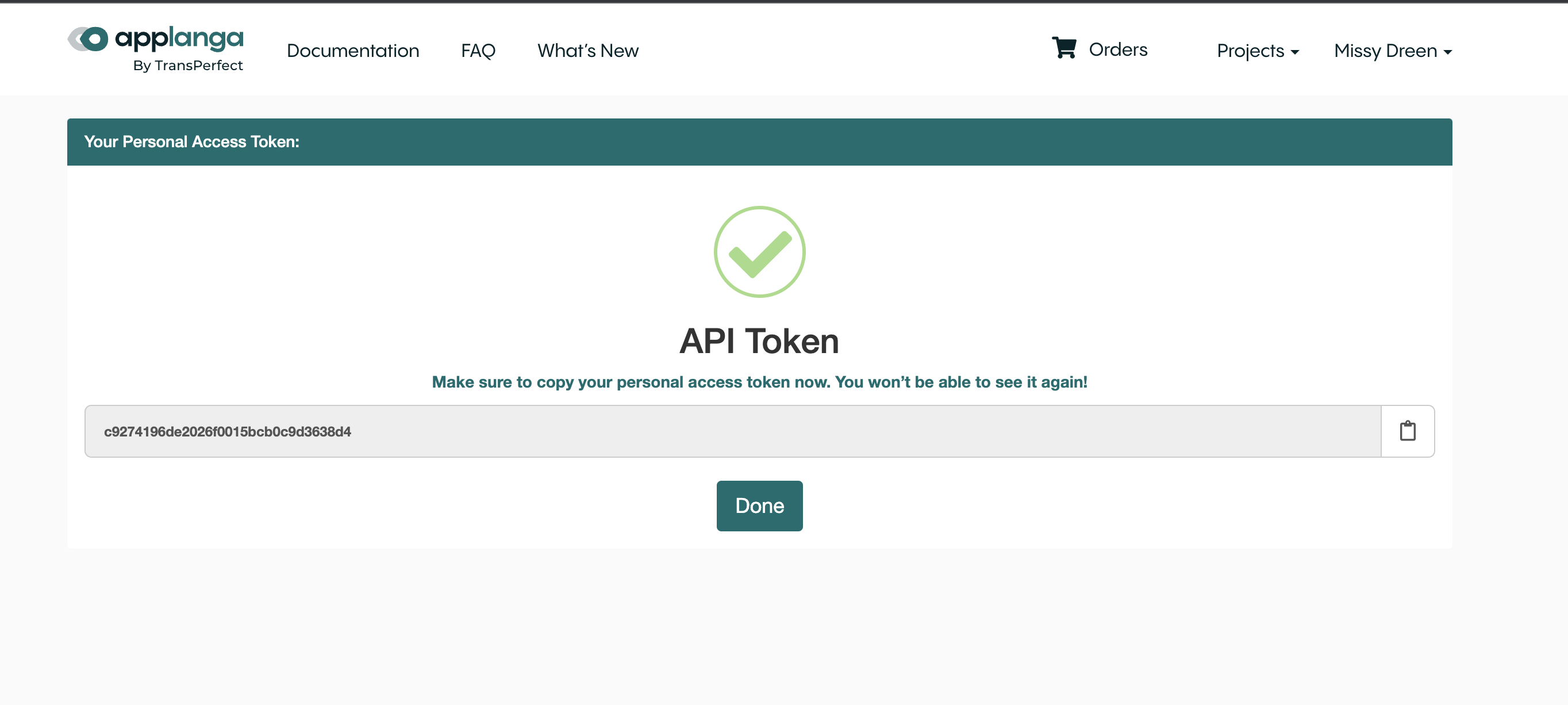
Click Generate Personal Access Token to create the token and make sure to copy your new personal access token as it will only be displayed once after creation for security reasons. Click Done.